Terminal Graphics Protocol for fast embedded development
March 10, 2026
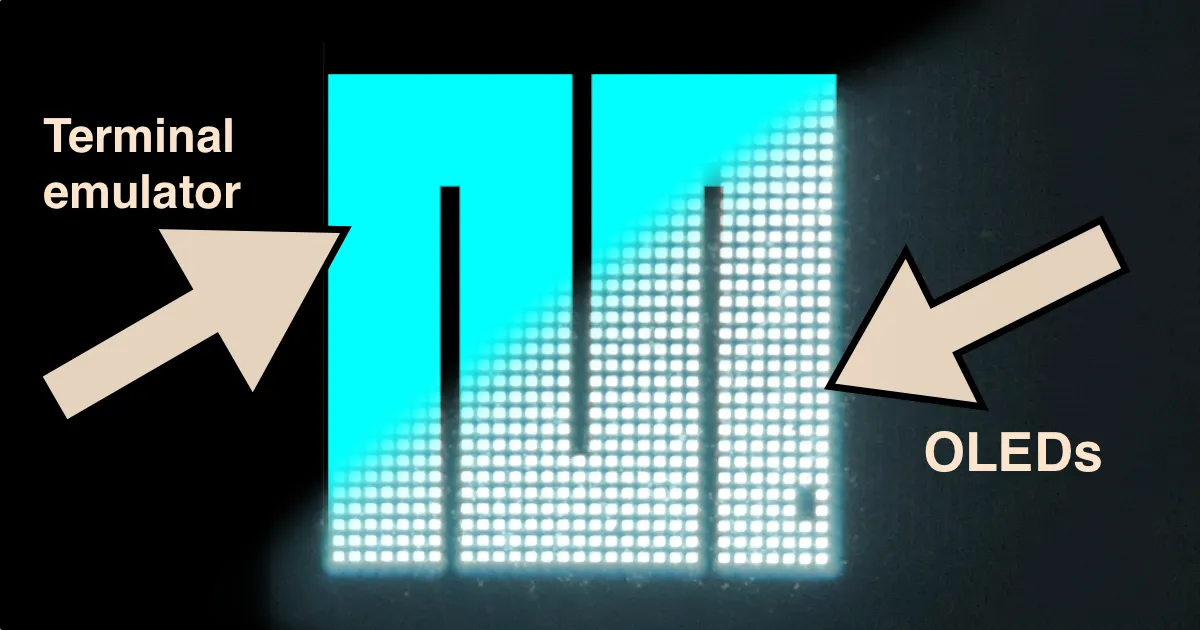
From a software perspective, embedded graphics are slow going: hunt down a microcontroller and display, wire them up, and for every small change flash the board and wait for it to reboot. But modern terminals can render images, so we can now skip the hardware shuffle and iterate right in the terminal!
NoteThis article was written for Paged Out! Issue #8 published in February 2026.
Modern terminals support the “Terminal Graphics Protocol”, which works as follows: a program that needs to display an image writes the image data to stdout, surrounded by escape codes used as delimiters. Here’s an example program written in Bash that displays a 32x16 rectangle:
#!/usr/bin/env bash

w=32; h=16 # image dimensions

printf "\e_G" # start delimiter

# metadata:
#   [a]ction: [T]ransmit and display
#   [f]ormat: 24-bit RGB bitmap
printf "a=T,f=24,s=$w,v=$h;"

# bitmap data:
for pixel in $(seq 1 $((w * h))); do
    printf "\x00\xff\xff" # R=0, G=255, B=255
done | base64 -w0
#      ^ base64 required by protocol

printf "\e\\" # end delimiter
This will print out a 32x16 cyan rectangle in the terminal. Note that this is not tput-style background set to cyan, this is an actual image and we have pixel-level precision (as we’ll see in a second).
This Bash example is deliberately low-tech, but it shows the key property: the Terminal Graphics Protocol is dead simple to implement. If you can write bytes to stdout, you can display an image in the terminal! And nothing is stopping us from using it with real application code instead of toy scripts. Let’s use the following graphics example written in MicroPython, a barebones variant of Python that was designed to also run on embedded devices:
def draw_saturn(fbuf, width, height):
    fbuf.line(0,height-1, width-1, 0, 1)
    r = min(width, height) // 4
    fbuf.ellipse(width//2, height//2, r, r, 1)
This code assumes fbuf is a FrameBuffer from MicroPython’s framebuf module which presents an abstraction that many display drivers build on: a memory buffer for storing pixel data, plus a few drawing primitives like line, rect, and ellipse. Your code draws into this buffer; the driver then reads it and turns the pixel data into display-specific commands over I2C, SPI, and so on.
But why leave the terminal! We can use the termbuf driver that reads the buffer and prints it out to stdout following the Terminal Graphics Protocol:
from my_drawings import draw_saturn
import termbuf

w, h = 128, 64 # mimic a 0.96" monochrome OLED
display = termbuf.TermBuffer(w, h)
draw_saturn(display, w, h)
display.show()
By defining the drawing code like this we can use the same function for both testing in the terminal (using the Unix port of MicroPython) or using a real display driven by a microcontroller.
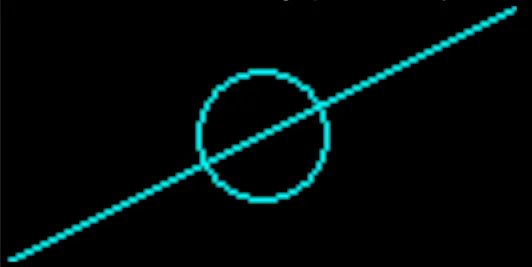
Flat representation of Saturn
In my experience, this leads to huge speed improvements. First, you completely avoid the need to go fish out for a microcontroller and display, wiring, etc. And when you start coding, there is no flashing required, meaning you can stay in the flow and see your changes appear in real time.
This is not limited to MicroPython, so if your development framework compiles or runs on your host platform, give the Terminal Graphics Protocol a try!
Let me know if you enjoyed this article! You can also subscribe to receive updates.